DevOps Processes
Repository Structure and Project Components
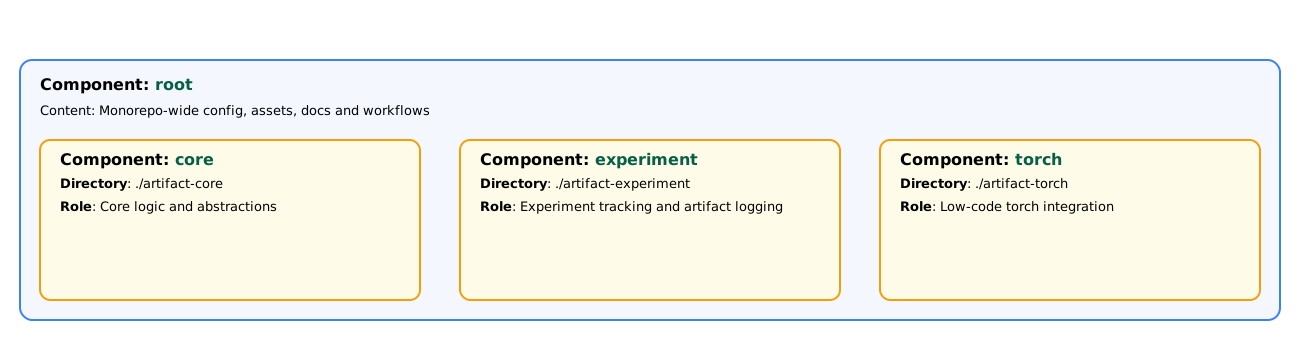
Artifact-ML is comprised of three single-purpose subrepos---with independent versioning and release cycles---gathered under a single monorepo. These are:
- artifact-core,
- artifact-experiment,
- artifact-torch.
The project is correspondingly partitioned in the following components (providing a way to refer to designated project subdirectories):
- root (files in the monorepo root, outside of all subrepo directories),
- core (files in the artifact-core subrepo),
- experiment (files in the artifact-experiment subrepo),
- torch (files in the artifact-torch subrepo).
- The
rootcomponent can only be modified by mergingsetup-root/*/hotfix-root/*directly into main (via PR). - The subrepo (
core,experiment,torch) components can be modified by: - merging
setup-<component_name>/*/hotfix-<component_name>/*directly into main (via PR), - merging feautre/ fix branches into
dev-<component_name>(via PR) and awaiting its periodic merge into main.
Branches
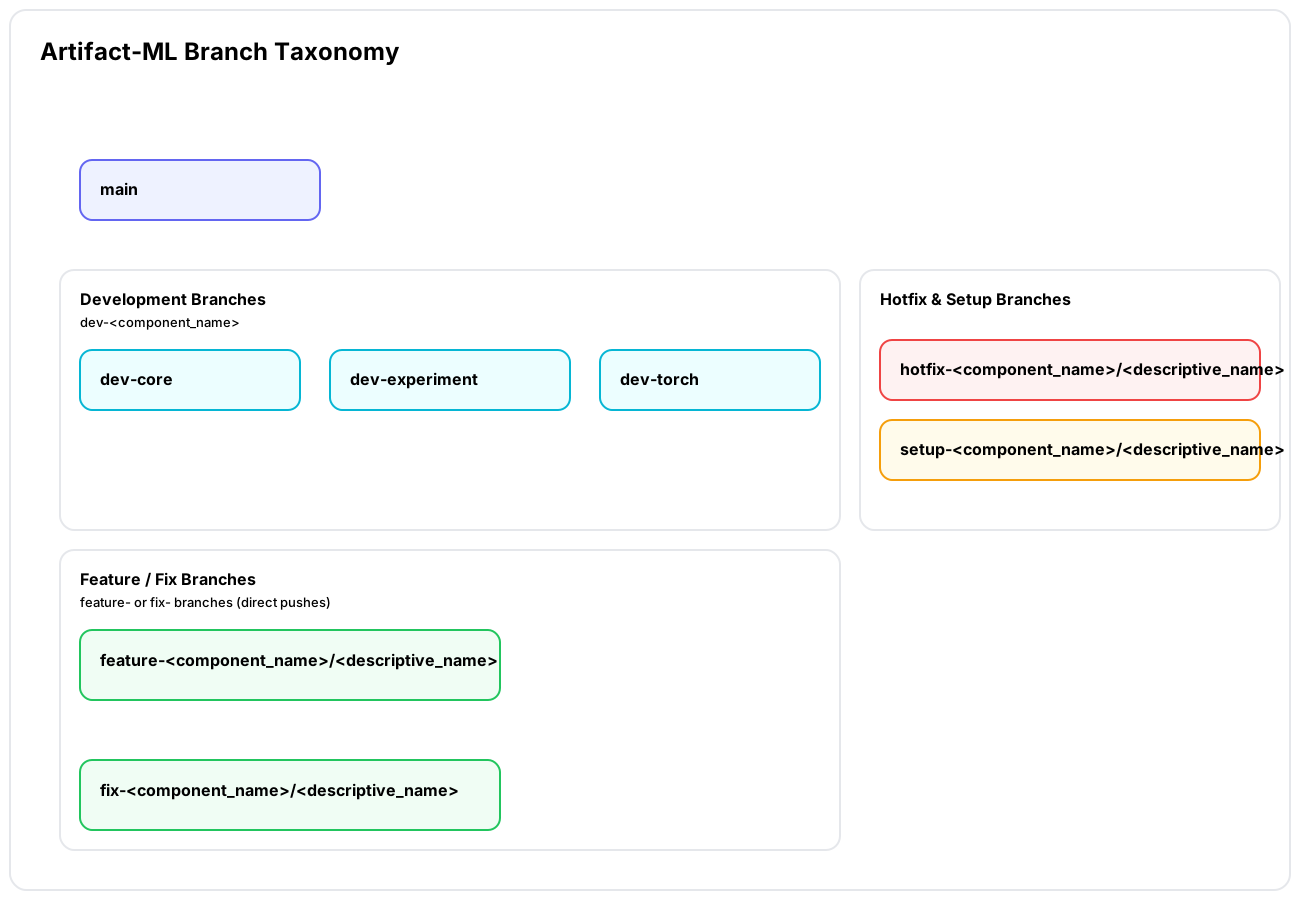
- main:
main - Role: The most recent stable release of Artifact-ML.
-
Update:
- Updated by periodically merging in
devbranches---resulting in new version releases. - Updated by merging in
hotfixbranches through pull request. - Updated by merging in
setupbranches through pull request.
- Updated by periodically merging in
-
Development Branches:
dev-<component_name> - Role: Component-specific development branches used as buffers for recent changes.
- Update: Updated by merging in
feature/fixbranches through pull request. -
Examples:
dev-core,dev-experiment,dev-torch. -
Feature/Bug Fix Branches:
feature-<component_name>/<descriptive_name>,fix-<component_name>/<descriptive_name> - Role: Used for regular development work.
- Update: Updated by direct pushes.
- Restrictions: Should only modify files in one component directory (enforced when opening a PR to
dev-<component_name>). -
Example:
feature-<experiment>/add-login -
Hotfix Branches:
hotfix-<component_name>/<descriptive_name> - Role: Used for urgent fixes that need to be applied directly to
main. - Update: Updated by direct pushes.
- Restrictions: Should only modify files in one component directory (enforced when opening a PR to
main). -
Examples:
hotfix-core/fix-critical-bug,hotfix-experiment/fix-validation-issue,hotfix-torch/fix-model-loading -
Setup Branches:
setup-<component_name>/<descriptive_name> - Role: Used for initial setup or configuration changes
- Update: Updated by direct pushes.
- Restrictions:
- Always use with
no-bumpbump type (as setup changes should not trigger version bumps). - Should only modify files in the specified component directory (enforced when opening a PR to
main).
- Always use with
- Examples:
setup-core/initial-config,setup-experiment/update-docs,setup-torch/add-examples
Versioning and PRs to main
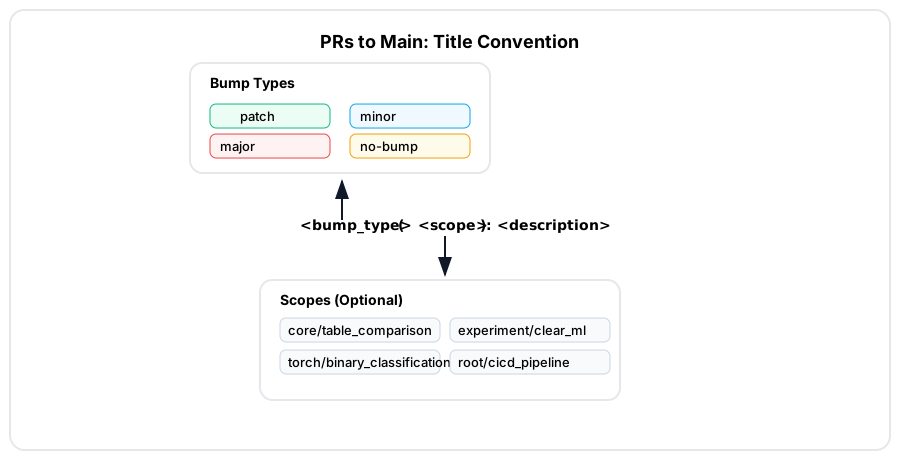
In line with semantic versioniing, we adopt the following version bump types (bump types for short):
patch: For backwards-compatible bug fixes (including hotfixes)minor: For backwards-compatible feature additionsmajor: For backwards-incompatible changesno-bump: For changes that don't require a version bump
Version bumps occur automatically (via desginated github workflows). To achieve this, PRs targetting main must follow a naming convention:
their titles should be prefixed via <bump_type>:, (or <bump_type>(scope):).
Examples of PR titles to main:
- patch: fix login validation bug
- patch: fix critical security vulnerability (for hotfixes)
- minor: add user profile page
- major: redesign authentication system
- no-bump: update documentation
You can also use scoped versions:
- patch(experiment/neptune): fix neptune client login bug
- no-bump(torch/docs): update artifact-torch README
Pull requests related to the root component (e.g. from hotfix-root/* or setup-root/*) must use the no-bump prefix (this is enforced by the relevant workflows).
Periodically, designated contributors open PRs from component dev branches to main---resulting in associatd version bumps according to the above.
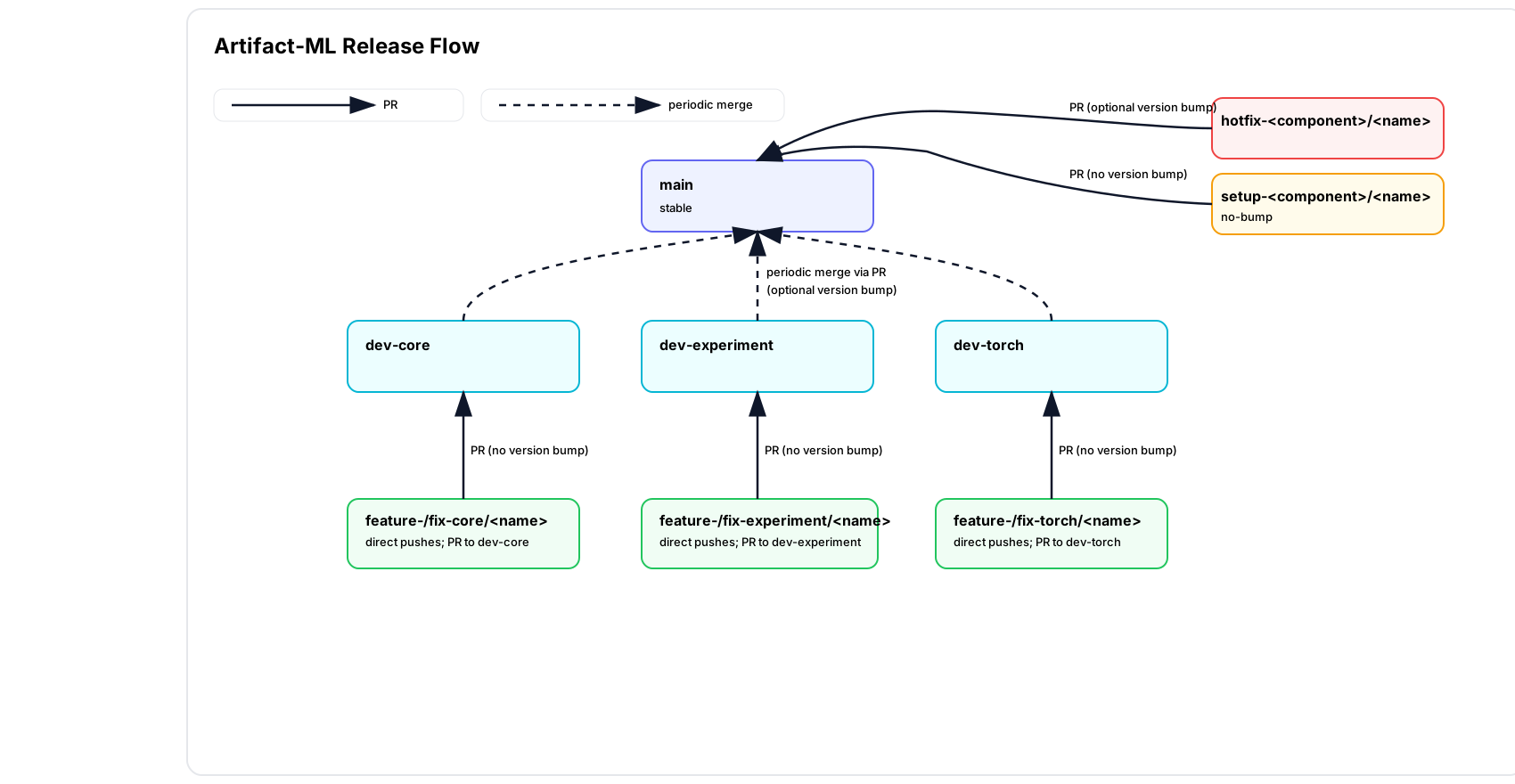
Artifact-ML Release Flow
The following diagram summarizes the project's release flow:
Relevant Pages
For a specification of the project's CI/CD pipelines please consult the relevant docs.